Blog · Editing
How to make YouTube Shorts from a long video
By Tomás Castaño · November 10, 2026 · 6 min read
To make a Short from a long video, find one complete idea that makes sense without the rest of the video, reframe it to vertical, start on the conclusion, and add captions word by word. The cutting takes minutes. Choosing the right forty seconds is the real work.
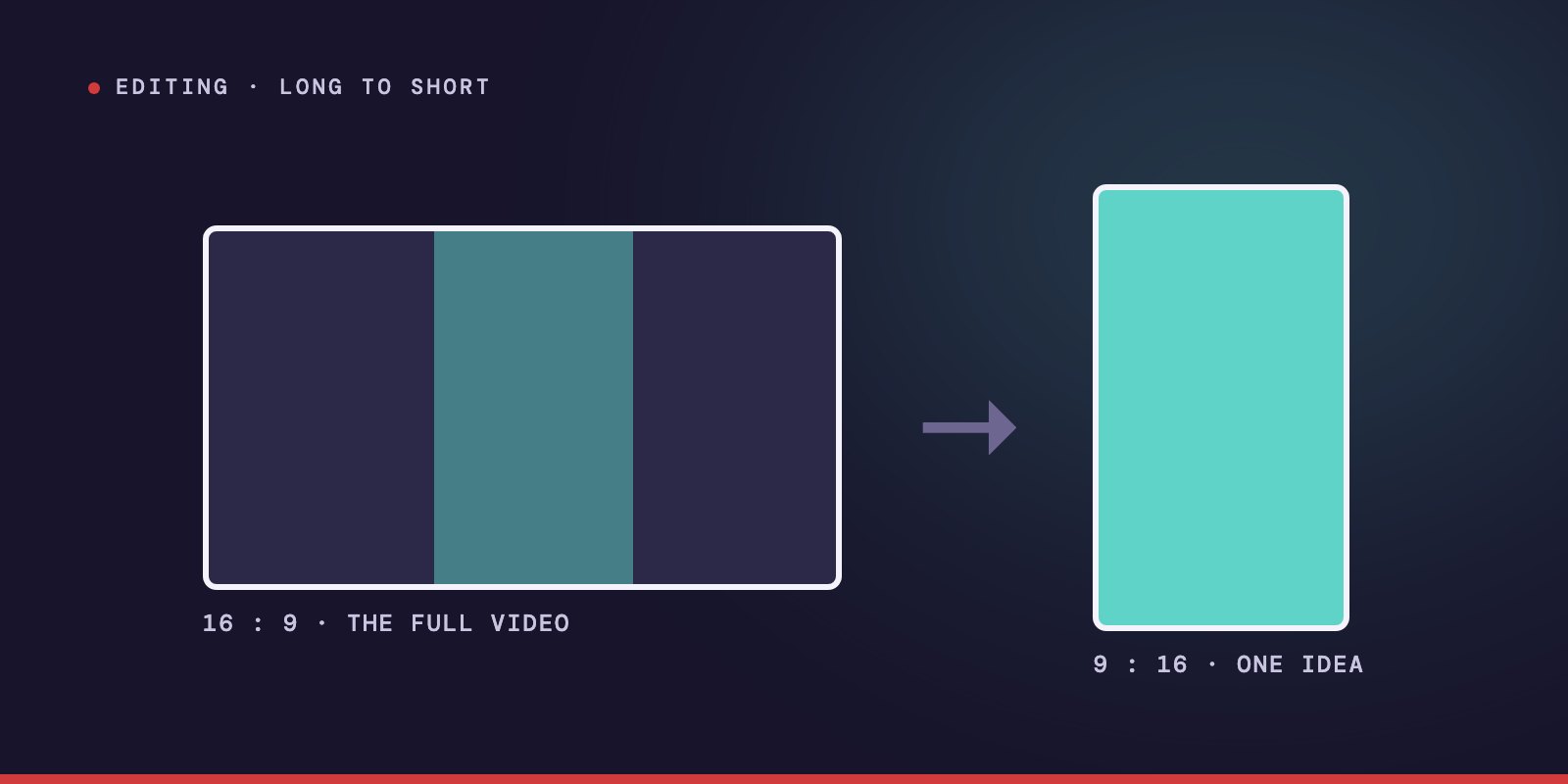
Every long video has a few sentences that deserve to travel on their own. A guest explains something in one breath, or lands a number nobody expected, and you know that if a stranger heard only that, they would stop and listen.
A Short is how that sentence leaves the video. In the last few months I have delivered more than 230 clips cut from interviews, masterclasses and vlogs, and almost everything I learned comes down to choosing the right moment and then getting out of its way.
What counts as a YouTube Short?
YouTube sorts a video into Shorts by its shape and its length. It has to be vertical or square, and it can run up to three minutes. A landscape video stays a regular video, however short it is.
In practice the Shorts that work are well under a minute. Three minutes is the limit, not the target.
YouTube explains the three-minute rule in its own help page on Shorts: a vertical or square video up to three minutes is treated as a Short.
How to choose the moment
This is where most clips are won or lost, and no setting in any app does it for you.
A good clip is one idea, complete. It has a beginning and an end inside itself. I look for a few kinds of moment:
- A claim that surprises. Something that contradicts what the viewer assumed.
- A number. A figure large or strange enough to stop someone.
- A short story. Thirty seconds with a start, a turn and an ending.
- An answer. A clear question followed by a clear reply.
- A line worth repeating. The sentence someone would say to a friend later.
Then I run one test. If this were the only thing a person ever saw from this channel, would it make sense? If understanding it needs "before this, he was explaining," it is not a Short. It is a piece of a longer video that got cut out.
Start on the conclusion
In a long video you can build toward the point. In a Short you cannot, because the viewer decides in the first second or two.
So I often reorder. The speaker's conclusion goes first, and the explanation follows. In the long version he says "there are three reasons, first, second, third, and that is why rates are going up." In the Short it becomes "rates are going up, and here is why."
The words are his, in his voice. Only the order changes. Never cut a sentence so that it says something the person did not mean. A clip that distorts the speaker gets views once and costs the channel its guests.
How to reframe a horizontal video to vertical
A wide frame holds two people and a table. A vertical frame holds one face. Something has to give.
- One speaker: center the face, with the eyes in the upper third of the frame. Leave room below for captions.
- Two speakers: either cut between them as they talk, or stack them, one above the other. Stacking keeps the reaction visible, which matters when the reaction is the point.
- Screen recordings and charts: do not squeeze them. Rebuild them. A chart designed for a wide screen becomes unreadable when it is shrunk to a phone. I remake the graphic for the vertical frame, larger and with less on it.
That last point is the one people skip, and it is why so many clips from finance and education channels look like a photo of a slide.
How to add captions that help
A great deal of video is watched without sound. The best data I know is a 2019 survey of 5,616 U.S. adults by Verizon Media and Publicis Media: 69% said they watch video with the sound off in public places, and 25% do so even in private. Half said captions matter to them for that reason. The survey is about video in general and not about Shorts, but the habit is the same. For many viewers the captions are the video.
What I do:
- Word by word, or two lines at most. Short groups that appear as they are spoken. A paragraph on screen is a wall.
- Exactly what was said. Verbatim. If the caption says something different from the mouth, the viewer feels it even without knowing why.
- Check every word. Automatic captions get names, numbers and technical terms wrong. One wrong figure in a finance clip and the comments are about the typo.
- Keep them out of the way. Not over the face, and not under the buttons the app puts on the right side and the bottom.
Do Shorts need graphics?
They need fewer than a long video, and they need them bigger.
The same rule applies that I use everywhere: if they say it, show it. If the speaker names a number, the number appears. If he mentions a headline, the headline is there for a second. But a Short has room for one supporting image at a time. Two things competing in a vertical frame cancel each other.
How many Shorts should you make from one video?
From an hour-long interview I cut twelve, as part of a larger plan for the whole recording. That is roughly one good moment every five minutes, which is what a strong conversation gives.
Do not force the number. If the episode has seven real moments, make seven. The eighth, the one you had to stretch, will perform worse than the others and teach the algorithm that your Shorts are skippable.
Can AI pick the clips for you?
There are tools that scan a long video and suggest clips, and I use AI in my own work every day, so I will be fair to them.
In my experience they are good at finding where the energy is: where someone speaks faster, louder, with more emphasis. That is a useful first pass, and it saves the time of watching everything again.
And yet energy is not meaning. A tool will hand you thirty seconds of an excited speaker that begins in the middle of a thought and ends before the point. It does not know that the sentence before is what made this one matter. So I let the machine propose and I decide. Every clip gets watched from the start by someone asking whether a stranger would understand it.
Should a Short point to the long video?
Yes, and gently.
A Short that ends with "watch the full video" before it has given anything is an ad, and people swipe away from ads. A Short that gives one complete idea and leaves the viewer wanting the rest is a door.
So the clip pays first. Then, in the title or a line at the end, it says where the rest is. YouTube also lets you add a related video to a Short, which shows a clickable link under your channel name. It is worth knowing that links written in a Short's description are not clickable, so this is the one that works. Use it. That link is the reason the Short exists.
The mistakes I see most
- Starting with context. "So, as I was saying" is three words too many.
- Cutting on time and not on sense. The clip ends at fifty-nine seconds, in the middle of the idea, because someone wanted it under a minute.
- A squeezed wide frame with black bars above and below, and two tiny people in the middle.
- Captions nobody checked.
- The same clip everywhere, untouched. Each app covers a different part of the screen with its buttons. What is readable on one is hidden on another.
What a Short is for
It is tempting to treat Shorts as leftovers: the long video is the meal and these are the scraps.
I think of them the other way. For most people, the Short is the first time they hear this voice. They did not search for the channel. It appeared between two other things, and they gave it one second.
In that second, the clip either shows them something complete or it does not.
A long video asks for someone's hour. A Short has to earn it.